Hello there!
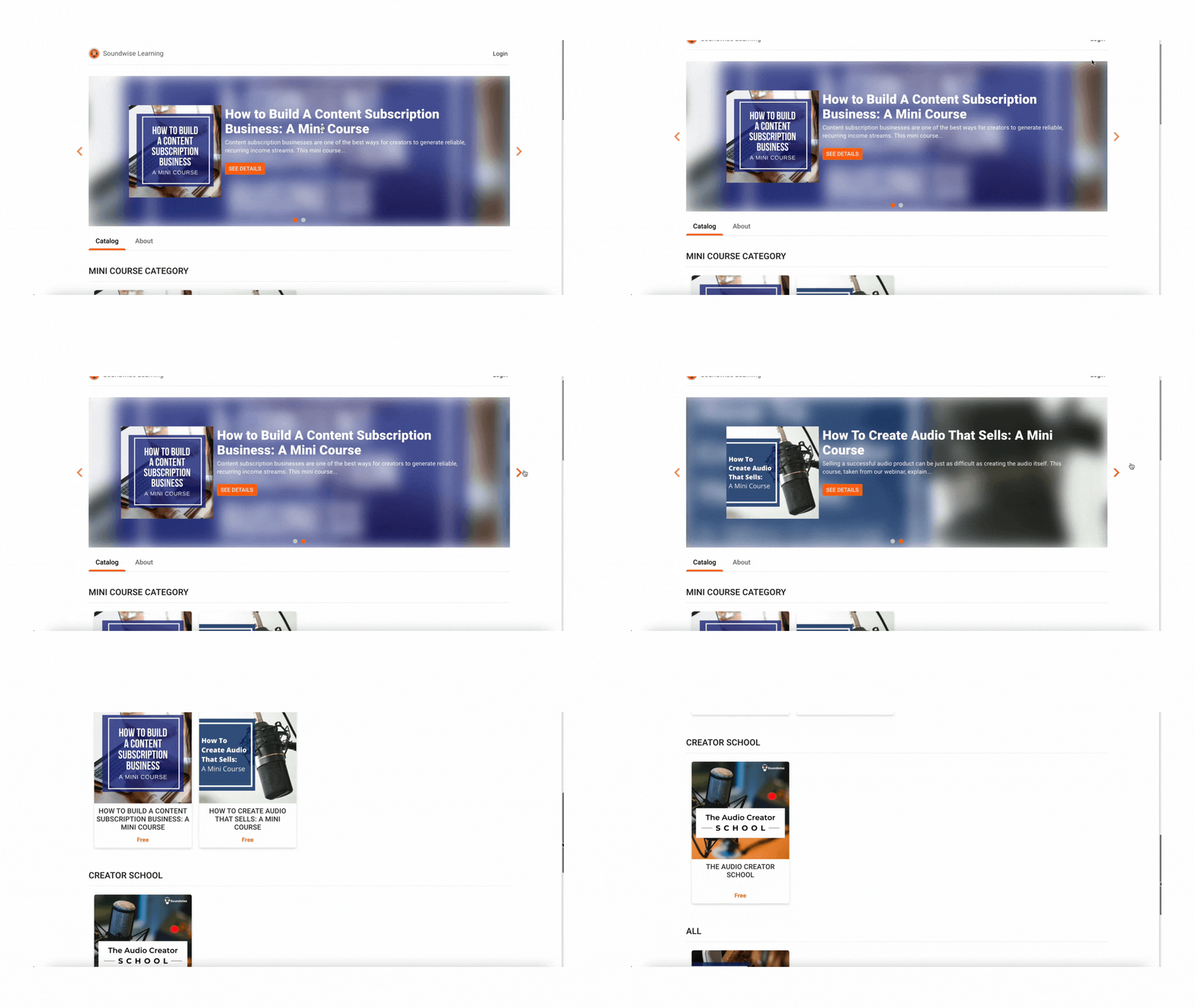
If you have many audio products for sale, it’s useful to organize them into categories to make it easier for customers to view them. That’s why we’ve just added a publisher-defined category feature to your publisher storefront page on Soundwise.
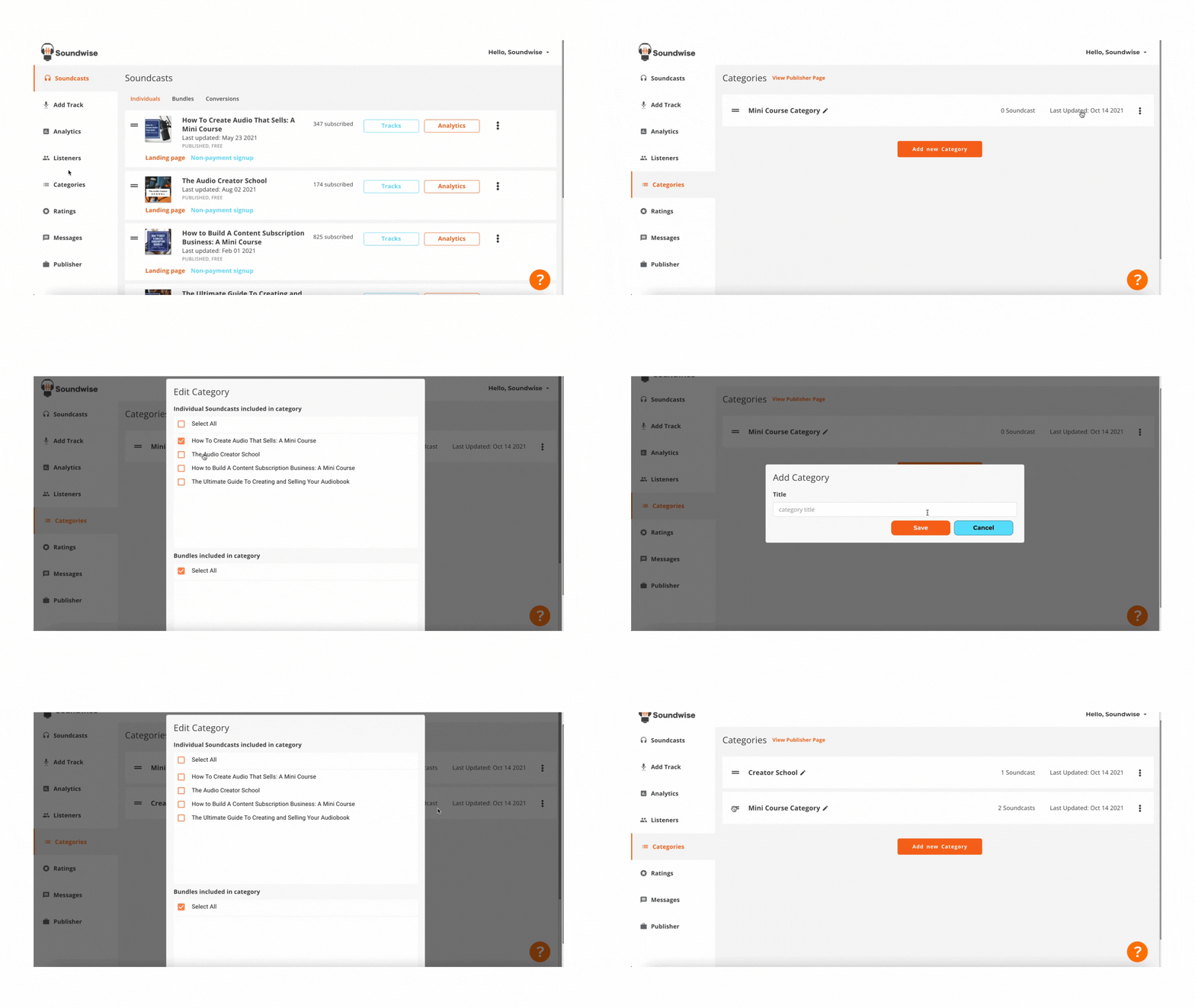
It’s easy to add categories to your storefront page. Just head to Categories tab on your dashboard—> Add new category.
You can then add any published soundcasts to the categories.
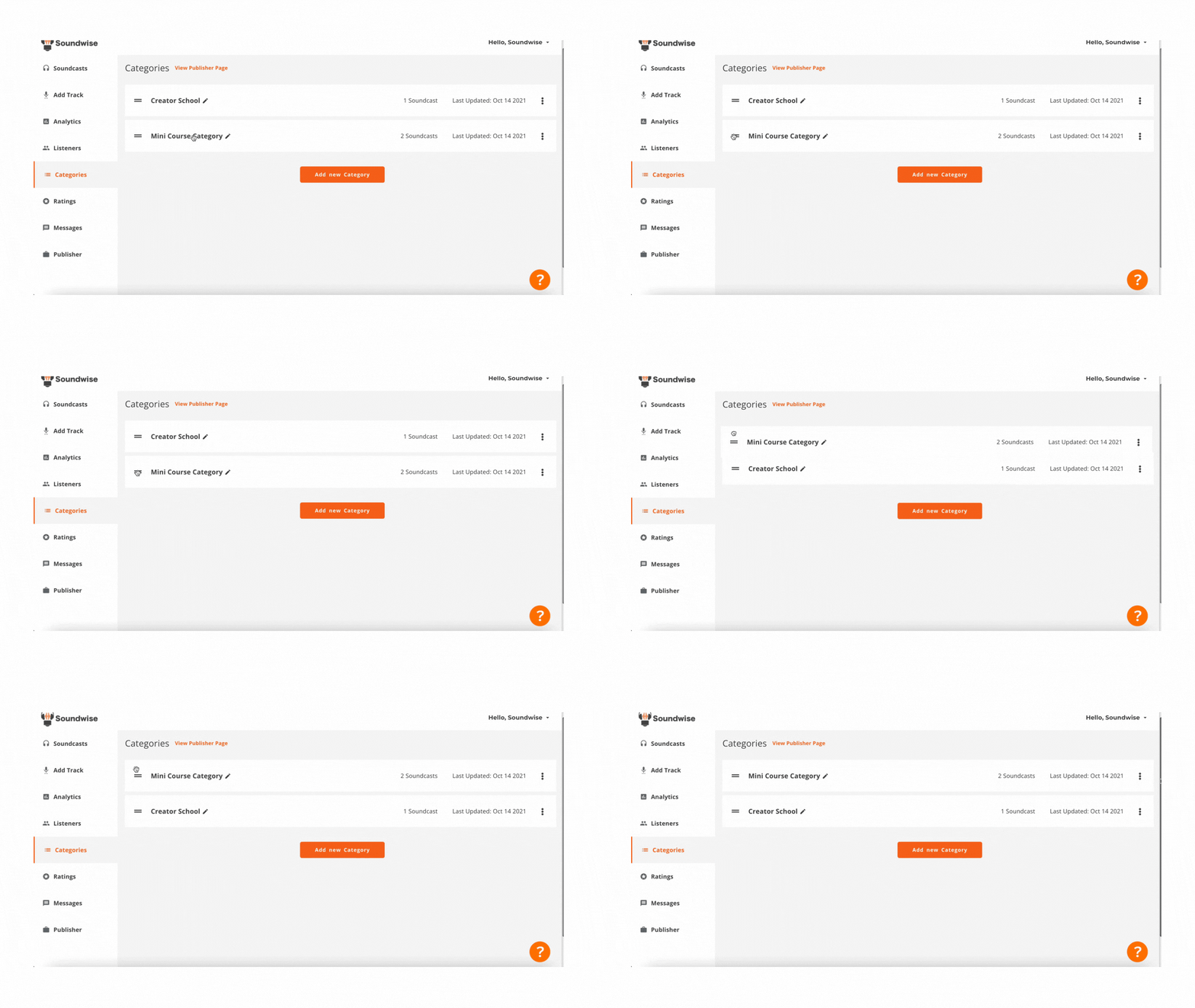
Arrange the categories in the order you want:
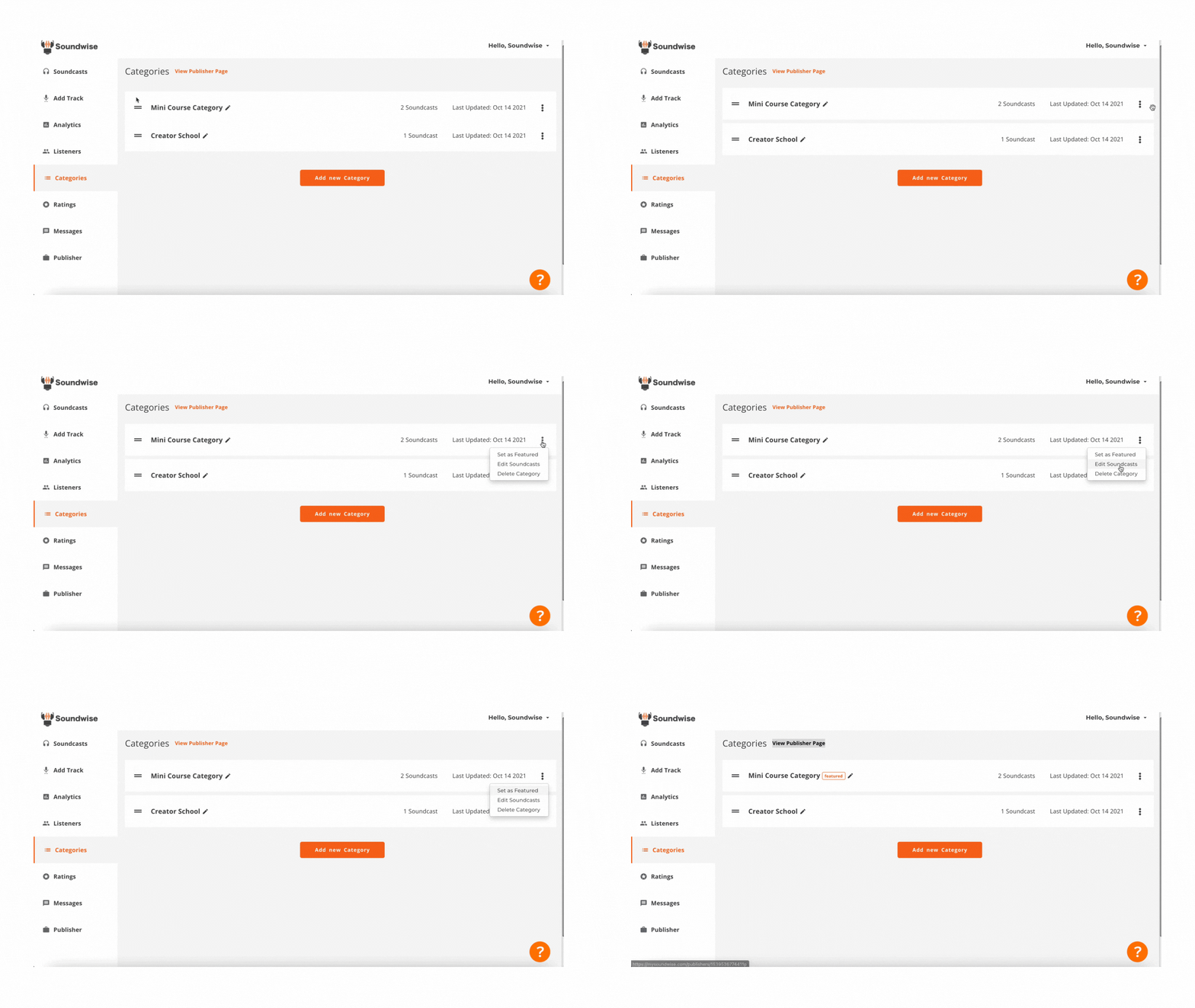
You can even set a category as “featured”, so that it would show up on top of your storefront in a slider to showcase your most important soundcasts.
And voila! You now have a well-organized storefront!
The category feature is available on our PLUS plan and above. If you’re on a lower-tier plan, upgrade is available here.
We look forward to seeing what you can do with this new feature! Don’t forget to contact us at support@mysoundwise.com with any questions.